The questions people ask first
Every few weeks someone launches a memory tool for Claude Code or Codex on Hacker News, and the replies ask the same things. On one launched in September (62 points, 49 comments), an early reply pointed out that every turn and the whole memory file go to a young third-party vendor; another doubted any automatic tool can tell what is worth keeping; a third couldn't see why it beat the tool's own built-in memory. On a session-portability launch (68 points), the first reply was that syncing is solved by telling the agent to keep a journal in Markdown. On a local history-search tool (65 points): how do you stop it trusting stale history?
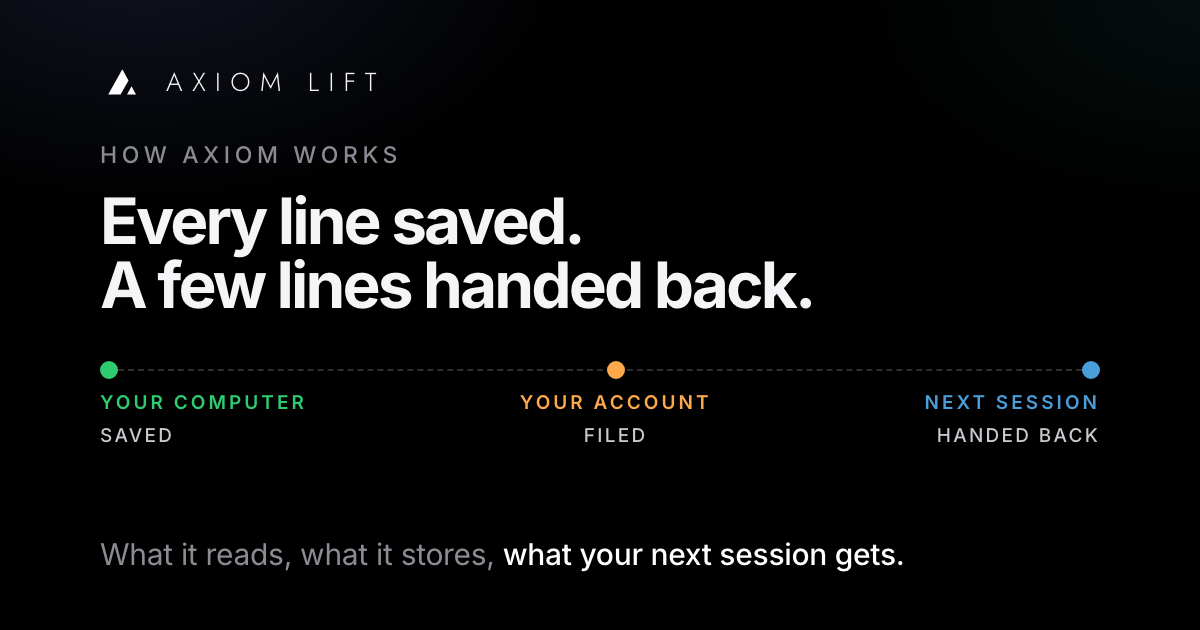
The worry isn't abstract. On the Codex tracker, a report from August says the built-in Memories feature sent parts of a chat run against a local model to OpenAI, with analytics off and no notice. So before anyone runs curl … | sh, the fair questions are: what does it read, what leaves the machine, what is stored, what comes back, and who can see it. This is the answer for Axiom Lift, from its own engineering notes and home page. Where something isn't built yet, it says so.
Stage 1: on your computer
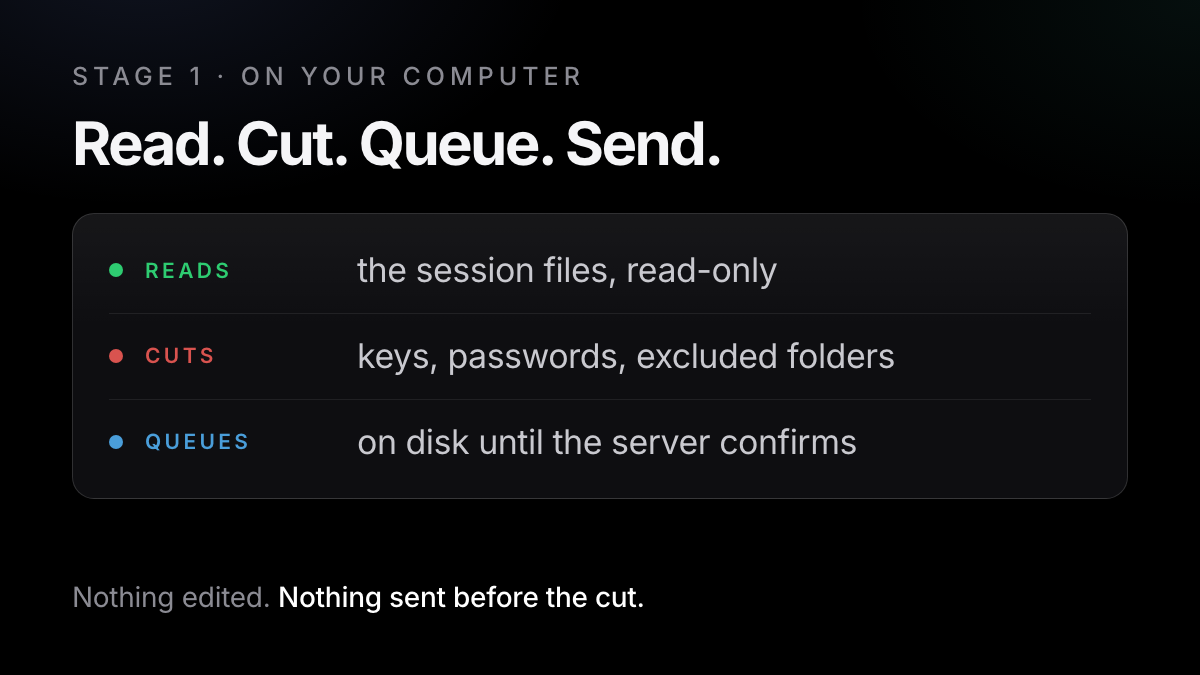
The install command puts a small Python program in your home folder and starts it at sign-in (a LaunchAgent on Mac; Linux and Windows are in beta). It reads the session files your tools already keep and never edits them: Claude Code's JSONL under ~/.claude, Codex's rollouts under ~/.codex/sessions, and OpenCode's SQLite database, opened read-only. The installer shows what it found before anything is sent, and asks which project folders to leave out.
- Read
The helper watches the three tools' session files. A session you typed is marked apart from one a program ran, and your own conversations go up first, newest first.
- Cut
Key- and password-shaped strings are removed by pattern before a line leaves the computer, along with any words you have told Axiom to cut for good. An excluded folder never leaves the computer at all.
axiom exclude ~/code/client-project - Queue
Every batch is written to
~/.axiom-context/queue/first and deleted only after the server confirms it. Offline, it waits and retries; a batch the server keeps refusing is set aside, not deleted. - Note
When a turn settles something durable, the working AI files one short note: a type, a subject, a summary and which lines are its evidence. That is the note you sometimes see at the end of a reply.
axiom verify checks every uploaded line against the server; axiom uninstall removes it.
Stage 2: in your account
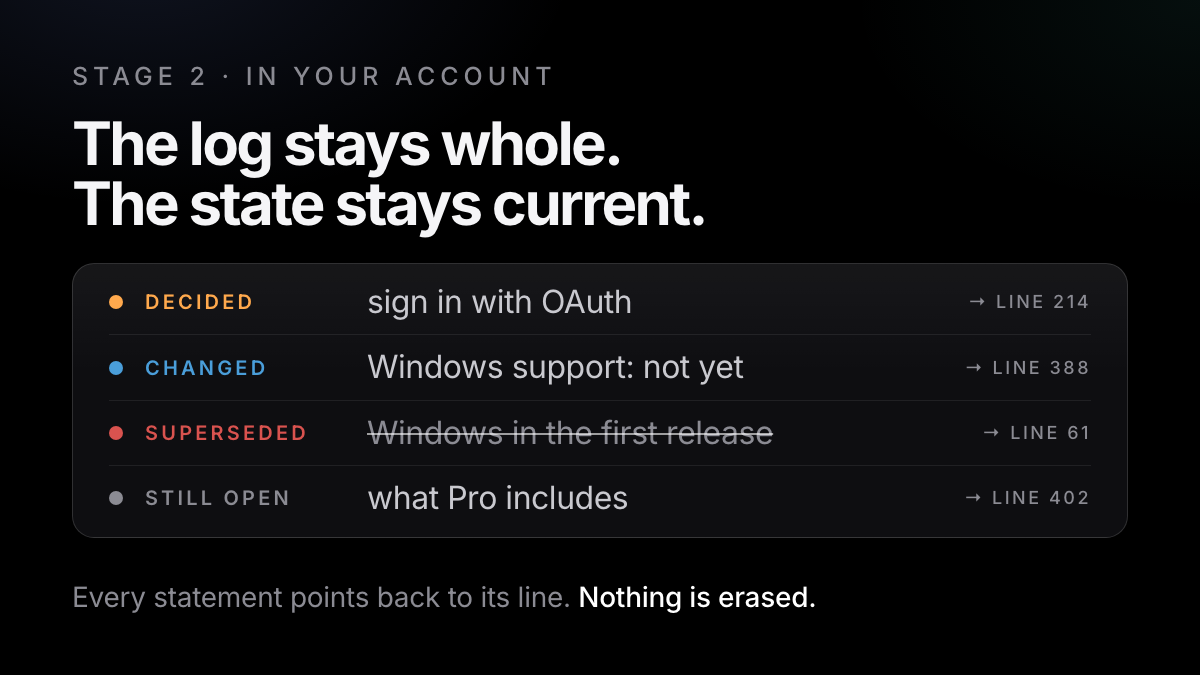
The rule the code keeps is that raw evidence is never rewritten. Each session is stored as one record with every line in arrival order, exactly as the tool wrote it. Everything else is derived from those lines and points back to the one it came from: a small header per session, a search index, and the labels.
Labelling is what turns a transcript into something a later session can use. Going forward it costs nothing: the working AI's live notes say which turns were a decision, a requirement or a correction, and Axiom keeps the structure. Facts that need no model come straight from tool output: commands run, tests passed or failed, commits, undo commands like git reset --hard. A model proposes meaning; Axiom owns the ids, the chronology and what is current.
What your account holds
On top of the history sits State: the current condition of each project as typed objects (decisions, requirements, tasks, open questions, claims), each holding the exact text cut from the line that supports it. Every meaningful change makes a new state, so you can diff two moments or ask what was true on a date; reverting is a new state, not a deletion. When your tool compacts a long conversation, Axiom has already saved every line and captures again at that moment.
Stage 3: what the next session gets back
The installer registers a read-only MCP server with Claude Code, Codex and OpenCode.
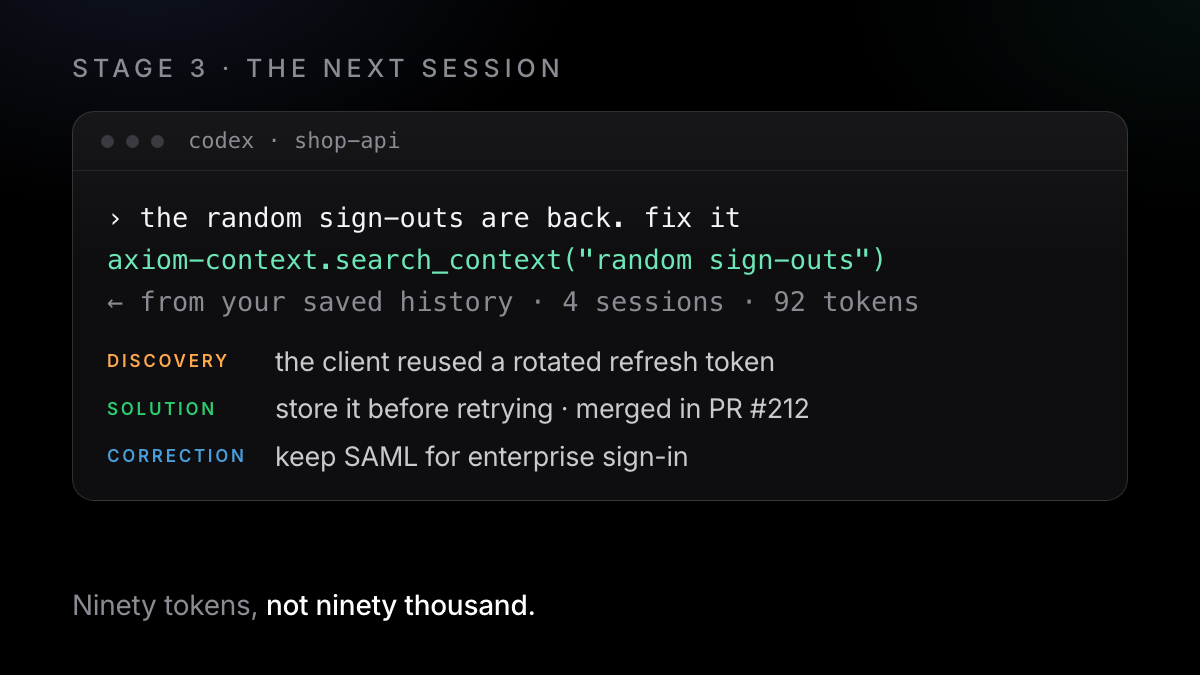
Before each prompt, Axiom adds a few lines about what is already decided on that subject: the project, its known subjects, this session's recent notes, at most two open Git questions. Never your whole history. You set the ceiling: axiom retrieval automatic (a small, confident, non-sensitive capsule goes in), ask_first (one line saying relevant history exists) or manual.
When the AI wants more, it asks over MCP with search_context and get_context (State adds get_state, state_diff and check_state). Back comes a capsule: the statements that are current, what is no longer current, what shipped, and evidence ids that lead to the source. In the home page's example, four sessions come back as 92 tokens. Ninety tokens, not ninety thousand.
What comes back
This works in whichever of the three tools you open next, and on Pro across more than one computer. On Free, the AI reaches your last six months (up to 1 GB); on Pro, everything.
Who can see it
Sessions are seen by you and nobody else unless you share. The operator can reach accounts to run and support the service. Paid jobs (deep clean, reading past history, reconstruction) send the needed text to OpenAI, which doesn't train on it and deletes it within 30 days. Keys and passwords are cut on your computer before anything is sent. Never sold, never used for advertising. Export or delete any time.
A pattern scan blocks secrets, card and bank numbers and national ids outright, and flags emails, phone numbers, internal hosts and local paths for review. A word you cut for good is removed from everything Axiom holds and replaced with a placeholder; only a one-way fingerprint is kept so the same word can be cut again. An export gives you a copy of everything, and deleting your account does not touch the files on your computer.
What it doesn't do
- Other tools. Claude Code, Codex and OpenCode, plus GitHub for commits, pull requests and checks. Not Cursor, not ChatGPT or Claude in a browser, nothing on a phone.
- It doesn't stop compaction, and it can't make a model obey a rule. It gives the next session the record; it doesn't steer the live one.
- It doesn't reach back before install beyond what is still on disk, and labelling that older history ("Enrich history") is paid.
- Linux and Windows are beta. Mac is the one it has been run on for real.
- Sharing is opt-in and narrow. Connecting GitHub finds the people you build with and shares none of your context.
Written down by hand
- A journal or CLAUDE.md holds what you thought to write, in the words of that day
- One file per tool, per repo, per machine; you keep it in step
- A reversed decision is overwritten, or stays wrong
- Free, in git, and works with any tool
Kept by Axiom
- Every line of every session, unchanged, before and after compaction
- Decisions, requirements and corrections picked out as you work; nothing to tag
- A reversed decision is struck through, linked to the moment it changed
- The few lines that are true now, handed to Claude Code, Codex or OpenCode over MCP
One command in the terminal where you use Claude Code, Codex or OpenCode. Free, no card, and one command removes it.
Try it free →Claude, Codex and OpenCode are trademarks of their owners; Axiom works alongside them and is not affiliated.