The issue, as reported
Compaction is the safety net: when the conversation fills the context window, the tool swaps the older part for a summary and carries on. Many developers report the moment it fails: the context is full, the compaction step errors out, and the session can neither continue nor shrink.
It is widely reported. Across the Claude Code, Codex and OpenCode issue trackers there are hundreds of reports of compaction failing, from well over three hundred developers since mid-2025, and they are still arriving. Nearly as many ask for something simpler: a way to see how full the context is before compaction arrives. A smaller group reports file reads and command output filling the window, then older tool results vanishing from what the agent sees.
What developers report
The fixes below are for Claude Code, whose error messages are documented in detail, with a note for Codex.
Why it happens
Each time you send a message, Claude Code sends the whole context again: the system prompt, your CLAUDE.md, every earlier message and every tool result (docs). That has a hard ceiling. By default, auto-compaction runs when the conversation reaches the model's context limit; on models with a native 1M window it runs at about 967K tokens (docs).
Compaction is itself a request to the model, so it can fail like any request. Claude Code's error reference separates three cases that look alike from the chair:
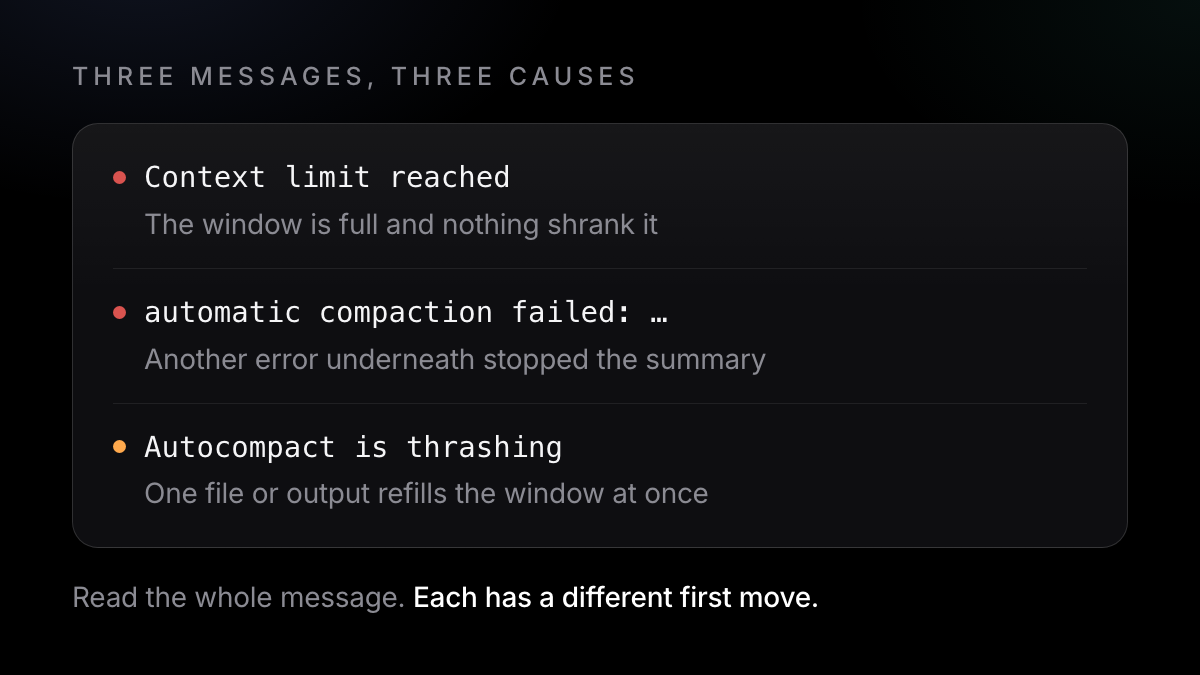
- `Context limit reached · /compact or /clear to continue`: the window is full and nothing shrank it, often because auto-compact is off.
- `Prompt is too long · automatic compaction failed: <error>`: compaction ran, but an underlying error stopped it, such as an unavailable model or an authentication failure.
/compactfails on the same error until you fix that error. - `Autocompact is thrashing`: compaction worked, but a file or tool output refilled the window straight away, several times in a row, so Claude Code stopped retrying (troubleshooting).
A single-exchange conversation has nothing earlier to summarise, so it can't be compacted at all. And some fixes are recent: before v2.1.229 (August 2026) a failed compaction showed only "Prompt is too long", with no cause; before v2.1.269 (September 2026) a session that couldn't summarise a whole exchange hit the error again on every turn.
Tool output is the other half: every file read and command output stays in the conversation. Since v2.1.51, results over 50,000 characters are saved to disk with a preview in the conversation (changelog), and Claude Code also clears old tool results from context. The main place that is visible is a line in /usage, which counts it as an "expected rebuild (compaction or tool-result clearing)" (docs).
How to fix it today
These steps are for Claude Code and come from Anthropic's documentation.
- Update Claude Code
Run
claude --version, thenclaude update. Newer versions fix several of these failures and name the underlying error. - Read the whole error line
If it says
automatic compaction failed:followed by a cause, fix that cause first (sign in again, or pick an available model with/model). Then run/compact. - If it's thrashing, shrink the input
Ask Claude to read the large file in parts (a line range or one function), run
/compactwith a focus that drops the big output, move large-file work to a subagent, or/clearif you no longer need the earlier conversation./compact keep only the plan and the diff - If the session won't move, restart and resume
Exit, then run
claude --resumein the same folder. The conversation is kept on disk, so restarting doesn't lose it. Then/compact, or/rewind, pick a message and choose Summarize up to here to compress everything before it and keep the recent part intact. - See how full the context is
Run
/contextfor a breakdown of what is filling the window (system prompt, tools, memory files, messages) and which command frees space. For a gauge that is always on screen, add a status line to~/.claude/settings.json:{ "statusLine": { "type": "command", "command": "jq -r '\"[\\(.model.display_name)] \\(.context_window.used_percentage // 0)% context\"'" } } - Compact on your terms
Run
/compactwith a focus before a long new task, for example/compact focus on the auth bug fix. To make the automatic pass run earlier, set the window with/autocompact, for example/autocompact 500k(v2.1.221 or later). If you keep auto-compact off, you have to compact before the window fills. - Keep the window lean
Disable unused MCP servers with
/mcp disable <name>, trim long CLAUDE.md files, and/clearbetween unrelated tasks.
That example is from the status line docs. On Codex, the CLI's /status shows remaining context and /statusline can put it in the footer (Codex docs).
What the fix doesn't cover
A gauge warns you; it doesn't stop the failure. Compaction can still error on a cause outside your control, such as a model or network problem. Every compaction is a summary. Whatever the summary leaves out, including tool output that was cleared earlier, is no longer in the agent's context, even though the transcript file still holds it.
- Getting back in is manual: restart, resume, compact or rewind, and sometimes
/clear. - The transcript on disk isn't searchable history. It is one JSONL file per session, in a format the docs say is internal and changes between versions.
- A fresh session starts from what's on disk. CLAUDE.md, rules and auto memory come back. The decisions and reasons that lived only in the conversation don't.
How Axiom Lift helps (partly)
Plainly: Axiom Lift does not stop compaction failing, and it doesn't add a context meter. The steps above are the fix for those.
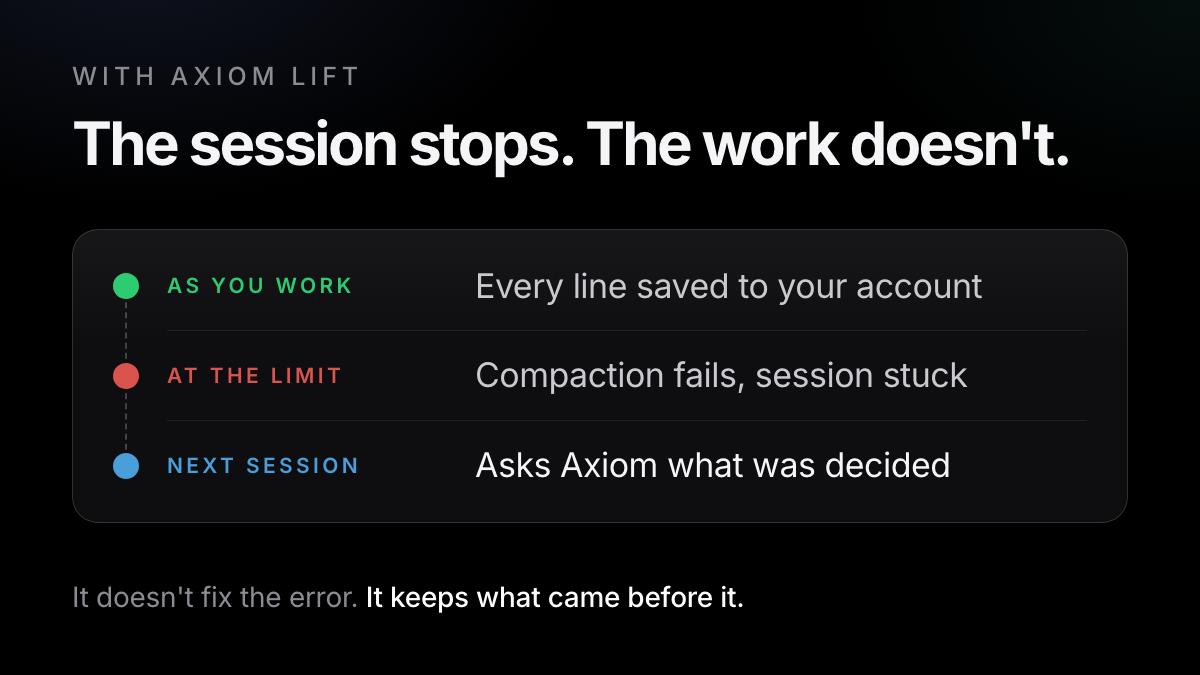
It helps with the aftermath. Axiom is a small helper on your computer that reads the session files Claude Code, Codex and OpenCode already keep, and saves every prompt, decision, requirement and result to your account as you work. It never edits those files. When your tool compacts, Axiom has already saved every line before that and captures again at that moment. The full conversation stays in your account, searchable, with the decisions filed.
So when a session dies at the limit, the next one doesn't start from nothing: over a read-only MCP connection it can ask Axiom what was decided and why, and gets back the few lines that are true now rather than the whole transcript.
The free fix
- Update, read the error, resume, compact by hand
/contextand a status line show the window- The transcript sits on disk as one JSONL file per session
- A new session gets back CLAUDE.md and memory files, not the conversation
With Axiom
- Doesn't prevent the error or show the meter: use the steps above
- Saves every line before compaction, and again at compaction
- Decisions, fixes and requirements filed and searchable in your account
- The next session asks over MCP what was decided, in Claude Code, Codex or OpenCode
Free covers one computer and lets your AI reach the last six months (up to 1 GB). Mac, with Linux and Windows in beta; needs Python 3; axiom uninstall removes it.
One command in the terminal where you use Claude Code, Codex or OpenCode. Free, no card.
Try it free →Claude, Codex and OpenCode are trademarks of their owners; Axiom works alongside them and is not affiliated.