The issue, as reported
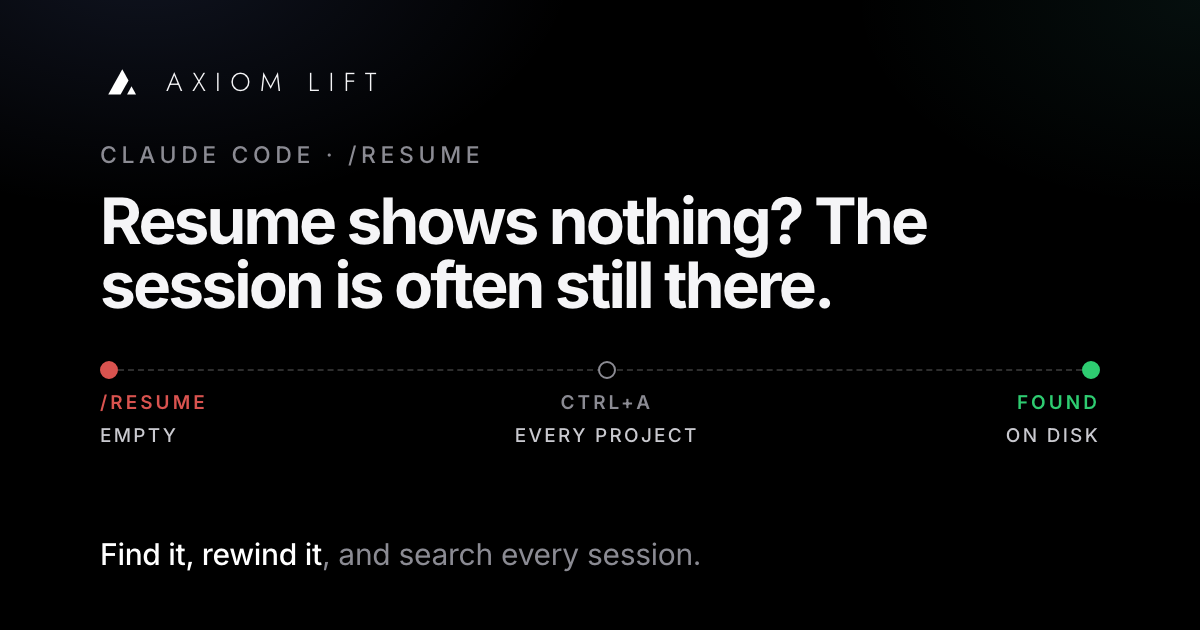
It is one of the most common complaints on the Claude Code, Codex and OpenCode issue trackers, and it has been for over a year: you go back for a session you need, and resume shows nothing.
The details vary. The picker is empty, or lists far fewer sessions than there are files on disk. A session started in another folder can't be found from this one. The VS Code panel's history is gone after an update or a restart, and people describe losing hours of built-up context. Or resume opens the session, but the agent behaves as if it remembers none of it.
Two related requests come up nearly as often. People want to rewind the conversation, not just the code, and to undo an accidental /clear. And people with hundreds of sessions want to search them, or export one, to find the conversation where something was settled.
What developers report
/clearWhy it happens
Often the session still exists; the place you are looking just doesn't show it. Claude Code's sessions documentation explains why:
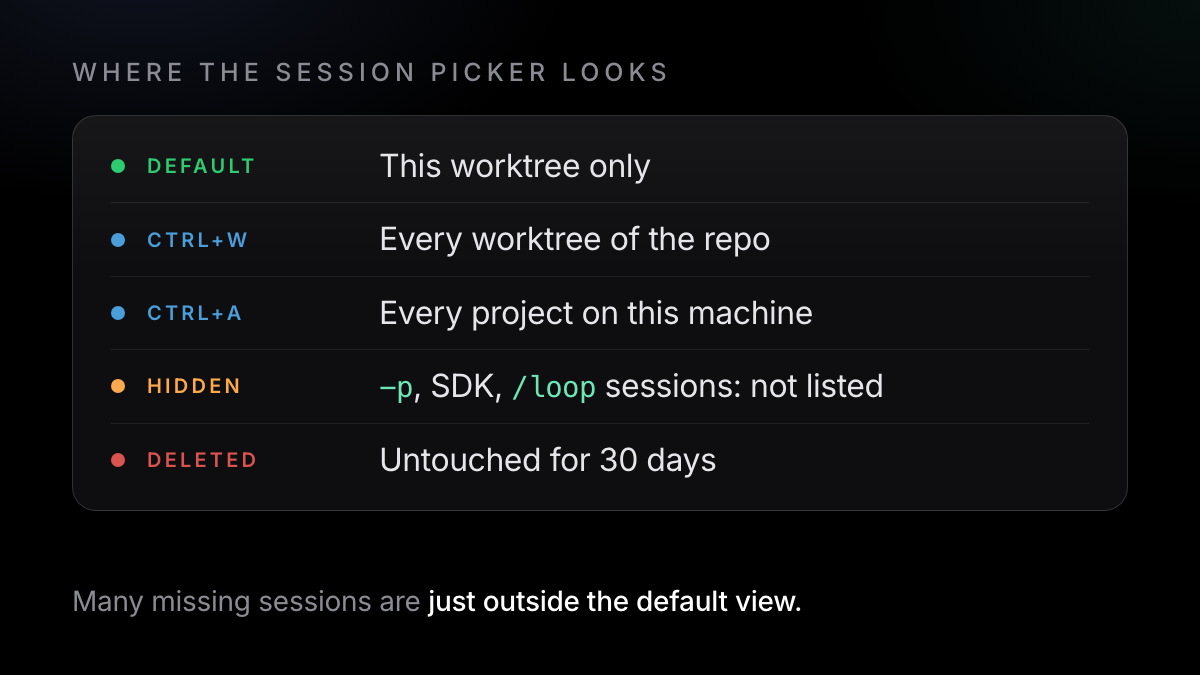
- Sessions are stored per project directory. By default the picker lists sessions from the current worktree only. A session you started in a parent folder, another clone or a different repo is not in that list.
- Some sessions are left out on purpose. Sessions created with
claude -por the Agent SDK, and sessions whose first prompt was/loop, don't appear in the picker or inclaude --continue. - The VS Code extension keeps its own list. From v2.1.265, a session with no activity for 14 days moves to Archived sessions at the bottom of that list (docs). Before v2.1.257, the action there was "Delete session", which hid a session with no way to restore it; those now reappear under Archived after an upgrade.
- Old versions looked in fewer places. Before v2.1.223,
claude --resume <session-id>only searched the current project, so you had to resume from the directory the session last worked in. - Some sessions really are gone. Transcripts not touched for 30 days are deleted by default. That has its own article: Claude Code deleted your chat history?
The "hollow" resume has a documented cause too. On a Pro or Max plan, resuming a session that has been idle for more than about an hour and is over 100,000 tokens opens a dialog. Resume from summary runs /compact straight away, so what the summary leaves out is no longer in Claude's context. Resume full session as-is keeps everything.
How to fix it today
These steps come from the Claude Code, Codex and OpenCode documentation.
- Widen the picker
Run
claude --resume(or/resumeinside a session). PressCtrl+Ato list sessions from every project on this machine,Ctrl+Wfor all worktrees of this repo. Type to search, pressSpaceto preview a session before you open it. - Resume by ID or by file
claude --resume <session-id>works from any directory on v2.1.223 or later, and is also the way intoclaude -pand SDK sessions the picker hides. If you know the file, pass its path. To see the newest transcripts:ls -lt ~/.claude/projects/*/*.jsonl | head -20 claude --resume ~/.claude/projects/<project>/<session-id>.jsonl - Check the VS Code archive
Open Session history in the Claude Code panel, expand Archived sessions and click Unarchive session. To stop the 14-day archiving, set Archive Inactive Sessions to Never.
- Resume the full session when details matter
If the resume dialog appears, choose Resume full session as-is. It costs more per request, but nothing is summarised away.
- Rewind the conversation, not just the code
Run
/rewind, or pressEsctwice with an empty prompt. Pick a message, then Restore conversation, Restore code, or both (checkpointing docs). If you ran/clearby mistake, the same menu shows a(previous session)entry at the top until you exit Claude Code;/resumefinds it after that. - Name, branch and export what matters
/rename auth-refactormakesclaude --resume auth-refactorwork later. Before an experiment,/branchcopies the conversation so the original stays intact./export notes.txtsaves a readable copy. - The same in Codex and OpenCode
Codex:
codex resumereopens a recent chat or searches older ones,codex resume --lastreopens the latest session in this directory,--alllooks everywhere, andcodex forkcopies an old session into a new chat (Codex CLI reference). OpenCode:/sessionsin the TUI,opencode session list,opencode -s <id>,/undoand/redo(they need a Git repo), andopencode export <id>(TUI, CLI).
What the fix doesn't cover
Checkpoints don't track files changed by Bash commands, edits from most subagents, or changes you make outside Claude Code. Their file snapshots are swept with the session, about 30 days after the last one. Anthropic's own docs say checkpoints are not a replacement for Git.
- Finding still depends on memory. The picker lists each session by its name, title or first prompt. That helps if you remember roughly when, where or what a session was called, not if you only remember what was decided in it.
- Three tools, three stores. Claude Code, Codex and OpenCode each keep sessions in their own place, with their own commands, and none of them searches the others.
- The raw files aren't meant for reading. The docs warn that the JSONL format is internal and changes between versions, so a grep script can break on any release.
- Gone is gone. Once the cleanup has deleted a transcript, no command brings it back. Only a backup does.
How Axiom Lift solves it
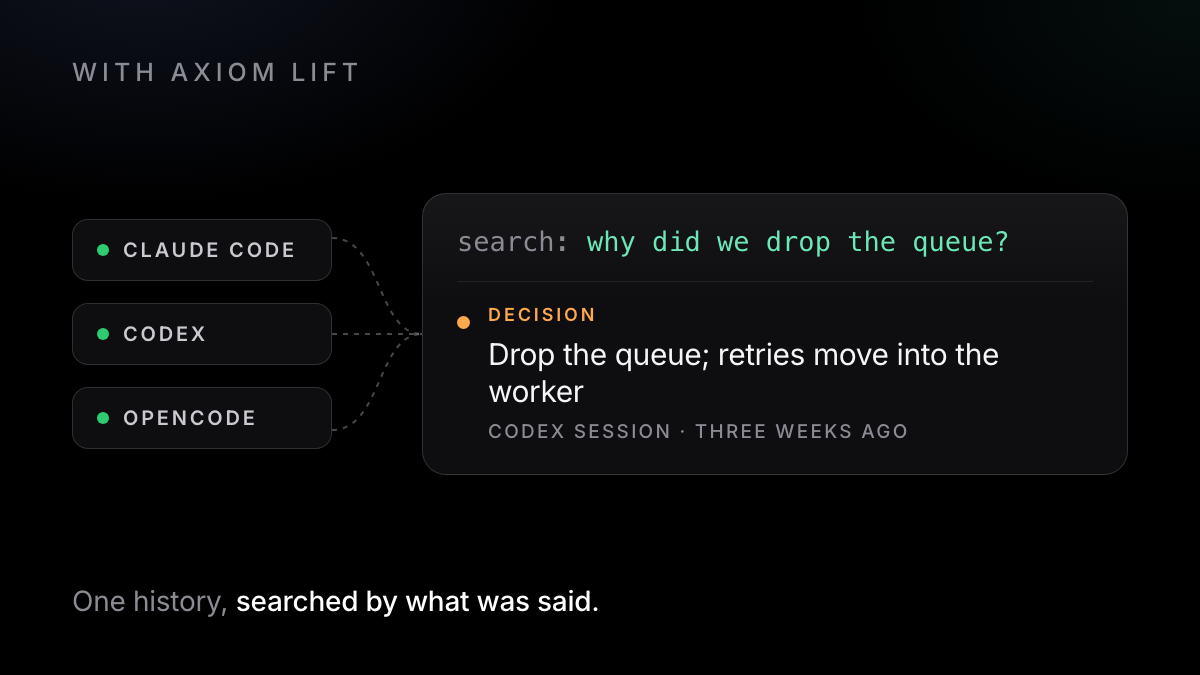
Axiom Lift is a small helper on your computer. It reads the session files Claude Code, Codex and OpenCode already keep, never edits them, and saves every prompt, decision, requirement and result to your account as you work. The full conversation stays there, searchable, with the decisions filed.
That changes the finding problem. You search one history across all three tools, by what was said rather than by what the session was called. Your AI can do the same: over a read-only MCP connection, the next session asks Axiom what was decided and why, and gets the few lines that are true now rather than the whole transcript.
What it doesn't do matters here too. Axiom can't put a session back into your tool's picker, and it can't rewind a conversation or roll back files. For those, use /rewind, /undo and Git as above. What it gives you is the earlier conversation, readable and searchable, whatever happened to the session in the tool.
The free fix
- Widen the picker, resume by ID, unarchive in VS Code
- Rewind the conversation and Claude's edits within a session
- Find a session by its name, title or first prompt
- One tool at a time, on one machine
With Axiom
- Search every session by what was said in it
- Your next session asks over MCP and gets what is true now
- Claude Code, Codex and OpenCode in one history
- Doesn't restore sessions to the picker or roll anything back
The Free plan covers one computer, keeps everything up to 5 GB and includes search. Pro adds more computers and lets your AI reach all of your history. It runs on Mac, with Linux and Windows in beta, needs Python 3, and axiom uninstall removes it.
One command in the terminal where you use Claude Code, Codex or OpenCode. Free, no card.
Try it free →Claude, Codex and OpenCode are trademarks of their owners; Axiom works alongside them and is not affiliated.